Opening or cabinet zone
Identify whether the request concerns an entry door, interior room, pocket door, cabinet run, or replacement part.
Resources
Hardware projects slow down when the buyer, dealer, installer, and maintenance team each hold a different piece of the answer. Emtek Resources turns that scattered information into a practical reference desk for General & Cabinet Hardware: installation notes, finish guidance, replacement intake, warranty routing, and product family planning.
Loose photos, partial model names, finish guesses, and a separate request for every door or cabinet zone.
A consolidated hardware brief with product family, function, finish, prep, and support path recorded together.
Planning Tool
This calculator-style layout is a hardware documentation guide, not an environmental scorecard or rebate calculator. It helps buyers decide which resource set they need before opening a support request.
Identify whether the request concerns an entry door, interior room, pocket door, cabinet run, or replacement part.
Record lock function, backset, bore, door thickness, pull spacing, hinge style, or accessory placement.
Note satin brass, matte black, brushed nickel, bronze, or other finish references with adjacent visible hardware.
Choose whether the next step is an installation note, warranty intake, replacement lookup, or line-card quote.
When all four checkpoints are complete, a dealer or project desk can respond with fewer clarification loops.
Resource Cases
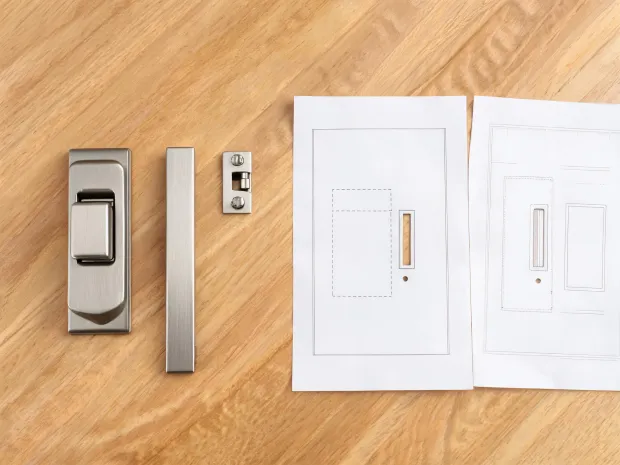
A builder needs passage and privacy pocket door sets sorted by room, prep style, and finish so installers do not mix rectangular and tubular hardware notes.
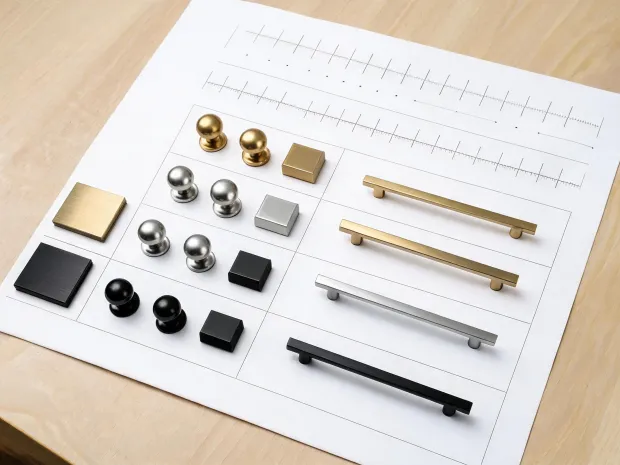
A millwork team groups pull lengths, knob families, finish chips, and spacing references into one quote-ready resource pack.
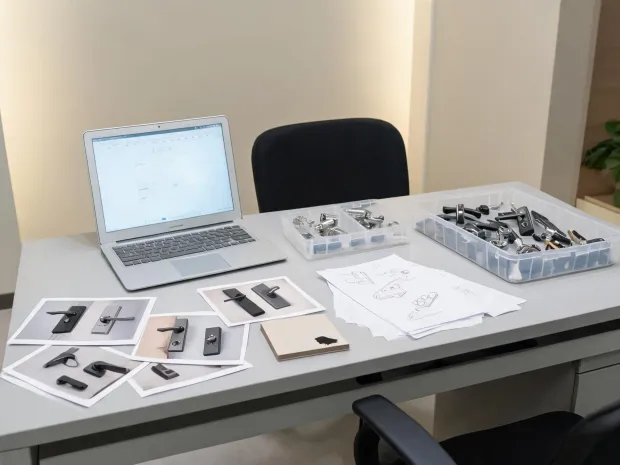
A facilities team submits model clues, hardware photos, installation context, and service history so the response can begin with useful detail.
Download Line Card